
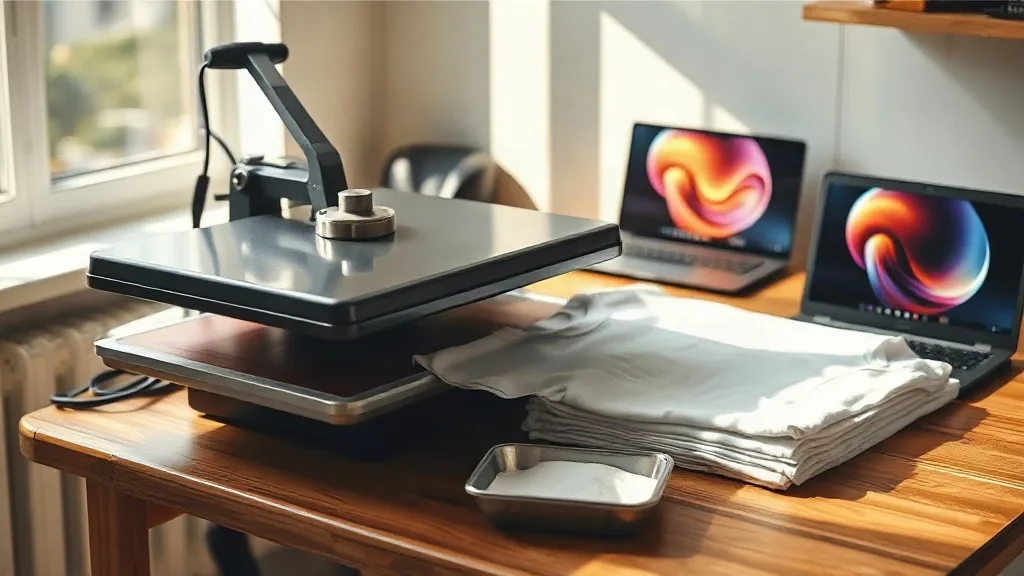
Walk into any small apparel shop these days and you will probably spot a heat press with a stack of film sheets next to it. The reason is simple: dtf transfers solved a problem that screen printing and vinyl never could, letting a one-person operation print a single full-color shirt without screens, weeding, or a minimum order. I have spent the last few years pressing these films onto cotton tees, polyester hoodies, canvas totes, and a few surfaces that probably were not meant for them, and the difference between a transfer that survives fifty washes and one that cracks in a week rarely comes down to the printer. It comes down to knowing what you are buying and how you handle it.
This guide is not a sales pitch. It is the checklist I wish someone had handed me before my first order, covering what dtf film actually is, the specs worth asking about, pressing numbers that work across fabric types, and how to judge a supplier before you commit to a bulk run.
What DTF Transfers Actually Are
Direct-to-film printing works in three layers. A printer lays down water-based pigment ink onto a coated PET film, then a powder adhesive (often called hot melt powder) is shaken over the wet ink and cured until it sets. What you receive is a flexible, slightly tacky sheet of printed artwork sitting on a plastic carrier. When you press it, the adhesive melts into the fibers of the garment while the ink bonds to the adhesive, and the film peels away clean.
That structure explains both the strengths and the quirks. Because the ink never touches the fabric directly, you can print photographic gradients, fine linework, and gradients across a full A3 sheet with no color separations. It also means the hand feel depends heavily on how much powder the printer used and how evenly it was cured. A well-made transfer feels like a soft layer of fabric; a poorly made one feels like a sheet of rubber.
DTF vs. Vinyl and Screen Printing
Heat transfer vinyl is cheaper for single-color names and numbers, and it holds up well on cotton. But every additional color means another layer to cut and weed, and complex artwork becomes impractical fast. Screen printing wins on cost per unit at volume and gives the softest feel on large runs, but setup costs make a five-shirt order painful.
DTF sits in the middle and covers the gaps: full color, no minimums, works on cotton, polyester, blends, and even nylon with the right settings. If your orders look like a mix of one-offs and small batches, that flexibility is worth more than the per-unit savings of a screen setup.
What to Check Before You Buy
Most complaints about transfers trace back to the order itself, not the press. These are the details I ask about now, every time.
- Ink coverage and powder load. Ask whether the printer uses a consistent powder application method. Uneven powder shows up as patchy adhesion after a few washes, especially at the edges of large designs.
- Film type. Cold-peel and hot-peel films behave differently. Cold peel generally gives sharper detail on fine text; hot peel speeds up production. Know which one you are getting before you plan a workflow around it.
- Color profile. Request a physical sample or a photo of a recent print on a similar fabric. Screen colors lie, and a bright RGB file can come back muted if the printer's profile is off.
- Sheet size and gang sheets. If you print many small logos, a gang sheet service saves real money. Confirm the usable print area, not just the sheet dimensions.
- Storage and shelf life. Transfers absorb moisture. Ask how they are shipped and how long they stay usable.
One more thing worth doing: order a small test batch before a big job. Press one transfer, wash the garment three times, and look at the edges. That single test has saved me from more than one bad bulk order.
Pressing Settings That Actually Hold Up
Numbers on a supplier's instruction card are a starting point, not gospel. Every press runs a little hot or cold, and fabric thickness changes everything. Still, these ranges have served me well across hundreds of garments.
Temperature and Pressure
Most films press between 150°C and 160°C (about 300°F to 320°F). Medium to firm pressure is usually right, enough that you can see the fabric texture through the film but not so much that the design spreads. If your press has a pressure gauge, aim for consistent resistance rather than maximum force.
Time and Peel
Press for 10 to 15 seconds for the transfer, then a second short press of 5 to 8 seconds after peeling to lock the adhesive into the fibers. Cold-peel films need to cool completely, usually 30 seconds to a minute, before you pull the carrier. Rushing this step is the single most common cause of cracked prints.
Fabric-Specific Adjustments
Cotton tolerates heat well and gives the best wash durability. Polyester needs lower temperatures, often 140°C to 150°C, because the fibers can scorch or the dye can migrate into the transfer. On polyester, a pre-press of a few seconds to flatten the fabric and drive off moisture helps a lot. Nylon and coated materials are trickier; test on a hidden seam first.
Finding a Supplier You Can Actually Rely On
Searching for dtf transfers near me usually turns up a mix of local print shops, online gang sheet services, and resellers. Local pickup has real advantages: you can see a sample before you buy, turnaround is fast for urgent orders, and you can ask questions face to face. Online services often win on price and sheet customization.
Whichever route you take, judge the supplier on three things. First, consistency between orders, since a color that shifts between batches ruins repeat business. Second, communication, because a printer who answers questions about film type and cure settings is usually a printer who cares about output. Third, packaging, since transfers that arrive bent or damp are already compromised.
A Workflow That Keeps Quality Steady
Once you have a supplier and settings dialed in, protect that investment with a simple routine. Store transfers flat in a sealed bag away from humidity and direct sun. Keep a log of press settings per fabric type so a new employee can reproduce your results. Press a test shirt from each new batch before it goes into production. And wash-test one garment per month from your regular output, because small drifts in film or powder quality show up long before customers complain.
None of this is glamorous, but it is what separates a shop that ships reliable apparel from one that replaces orders. The technology behind dtf printing is forgiving, and that forgiveness is exactly why the details matter. Get the film, the settings, and the storage right, and the process quietly does its job, order after order.
Frequently Asked Questions
How long do DTF transfers last on a shirt?
With correct pressing and normal washing, a quality transfer typically holds up for 50 or more wash cycles on cotton. Longevity drops on polyester and on garments washed in hot water or dried on high heat, so turning the shirt inside out and using a low dryer setting makes a noticeable difference.
Can I use DTF transfers on dark and light fabrics?
Yes, and this is one of the format's real advantages. The white ink layer under the color means the same design works on black, navy, white, or heather gray without any changes to the file or the press settings.
Do I need a special printer to make my own transfers?
You need a printer with a white ink channel and the ability to handle PET film, plus a powder shaker and a curing oven or heat press for setting the adhesive. For occasional orders, buying ready-made transfers is almost always cheaper than setting up production yourself.
Why is my transfer peeling at the edges after washing?
Edge peeling usually points to insufficient pressure, uneven powder at the border of the design, or peeling the carrier before the film cooled. Try a firmer press, a longer post-peel press, and a full cooldown before removing the carrier.
What file format should I send for custom transfers?
Send a high-resolution PNG with a transparent background at 300 DPI, sized to the final print dimensions. Vector files work well for logos with flat colors, but raster formats handle gradients and photographs more predictably.